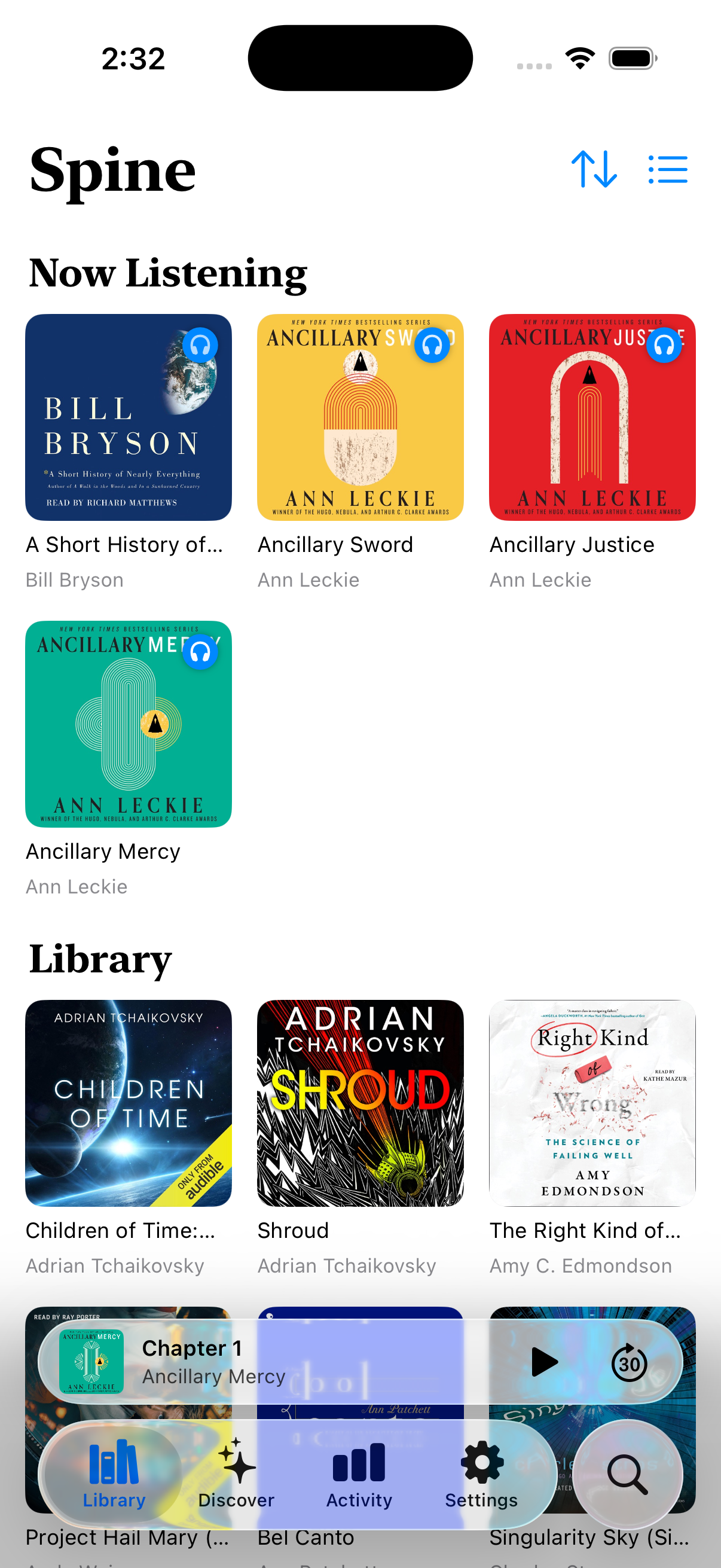
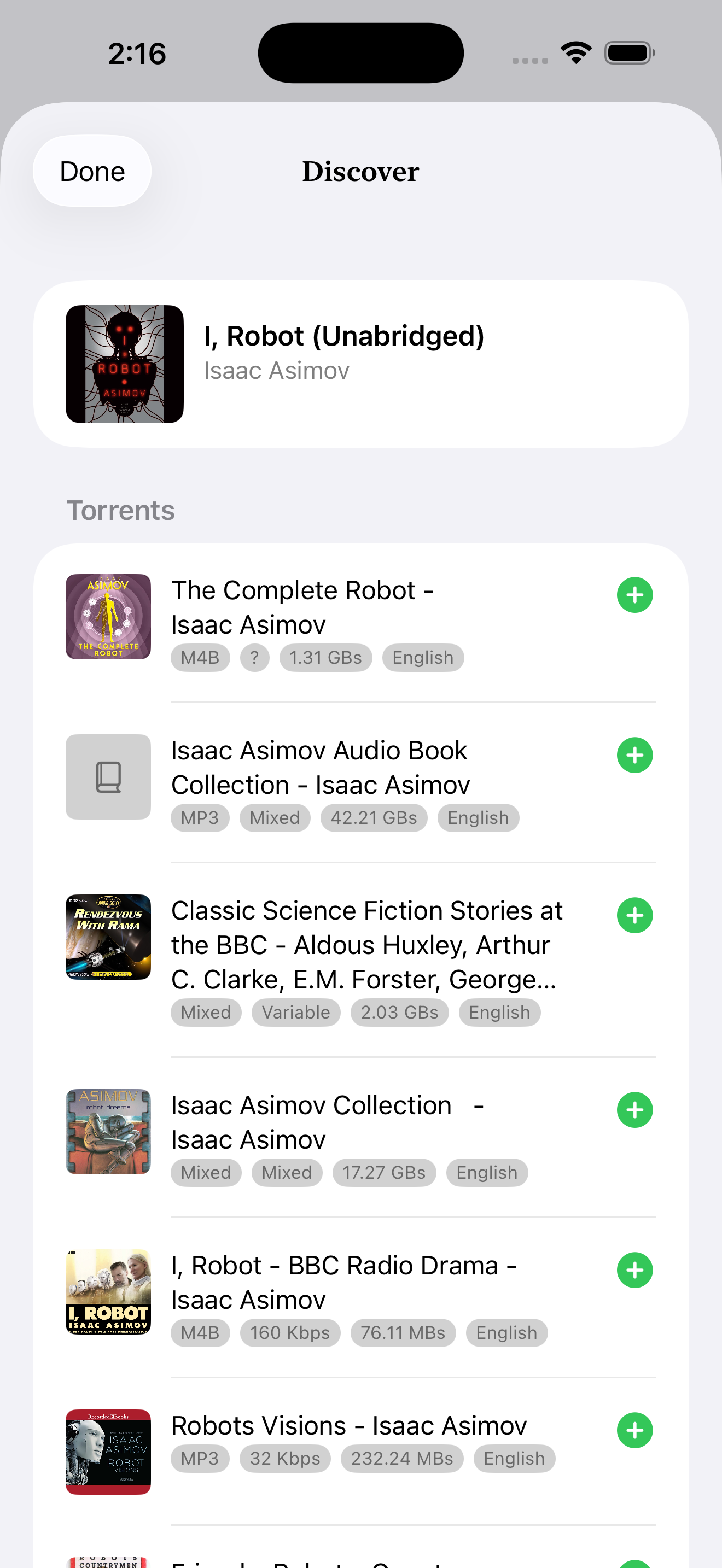
Bring your own audiobook library — a Torbox account, an Audiobookshelf server, or a folder on your iPhone. Spine plays them all side by side, syncs with Hardcover, and turns the habit of listening into something worth coming back to — listener levels, daily streaks, and a year-in-review Recap bright enough to share. No subscription, no ads, no account to create with us.
Every screen earns its place. No clutter, no ads, no algorithm guessing what you wanted to hear next.
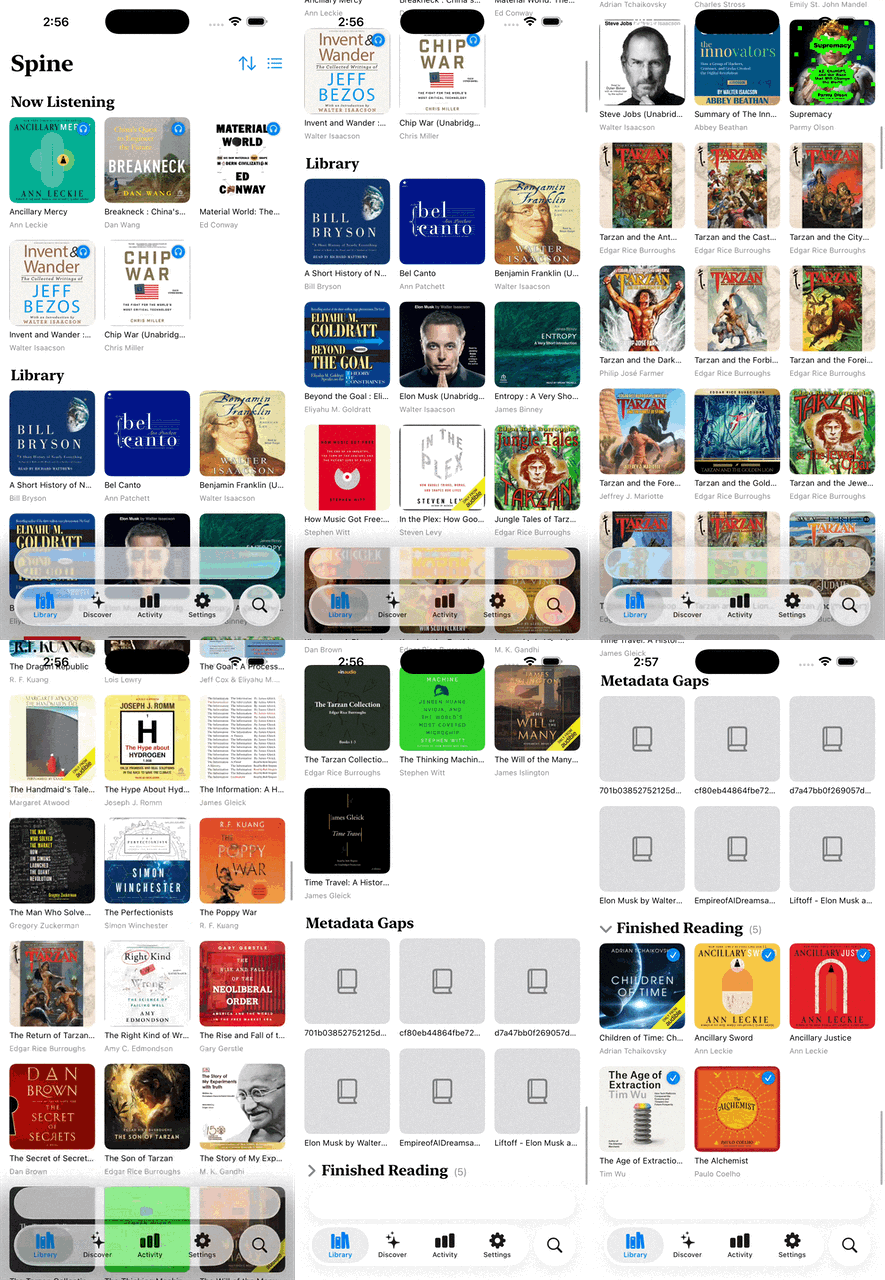
Connect Torbox, point at an Audiobookshelf server, or pick a folder on your iPhone — and play them all from one shelf. No copying files, no folders to babysit.
Even when your audiobook is one big file, Spine finds the chapters and lets you skip, scrub, and resume one chapter at a time. No fiddling.
Just listen — Spine quietly marks your books as in-progress or finished on Hardcover, and pulls back clean cover art and metadata in return.
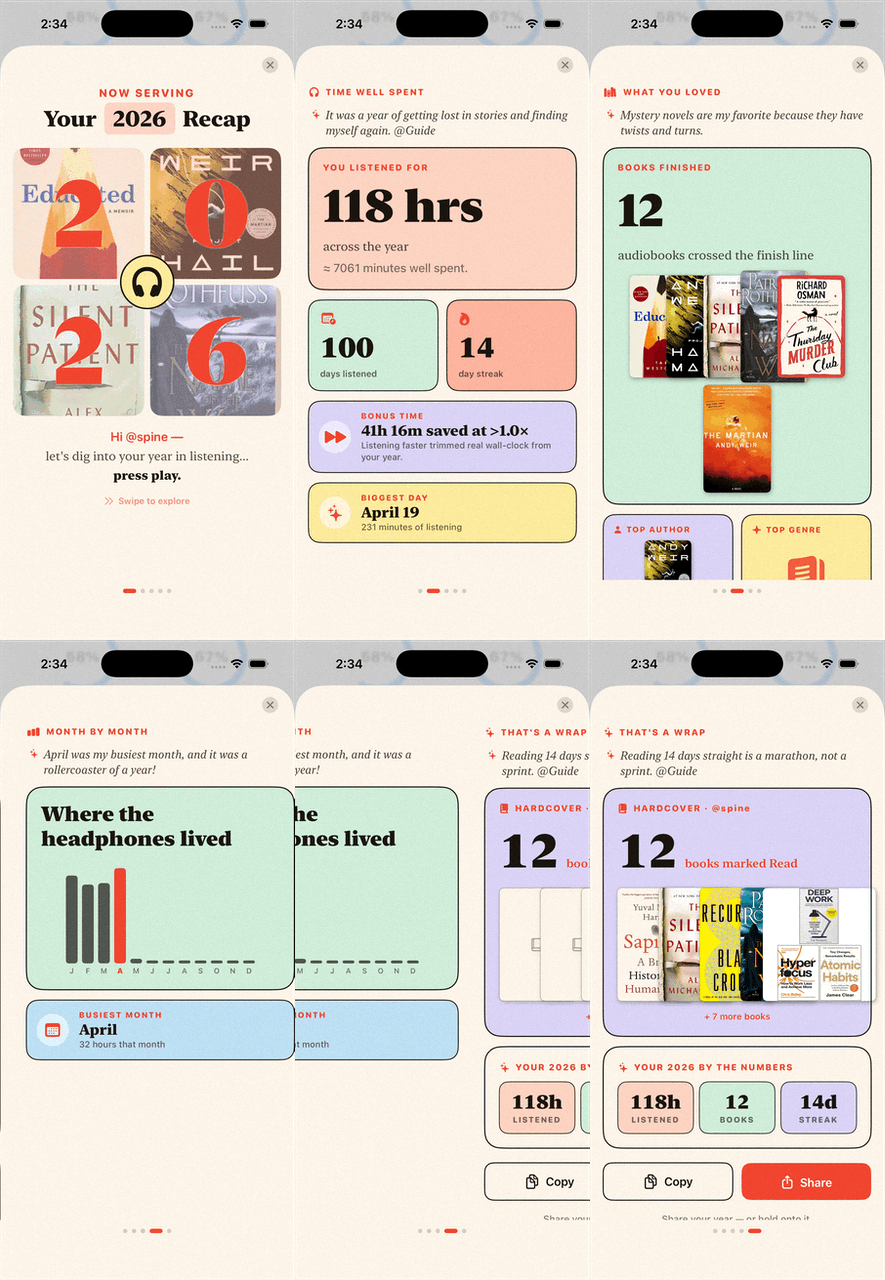
Once a year, Spine stitches your hours, finished books, top author, and monthly listening rhythm into one bright share card worth posting.
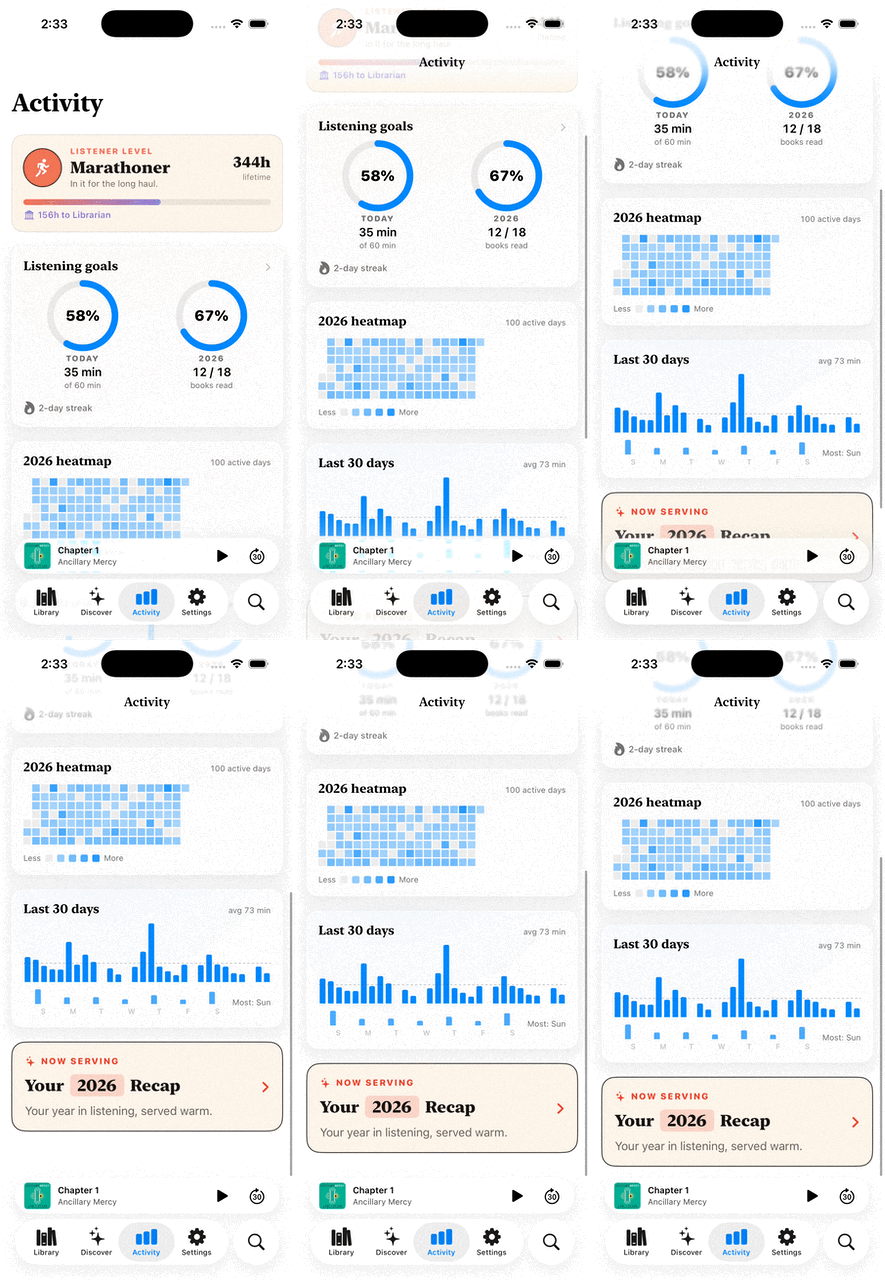
Lifetime hours unlock six listener tiers, from Sapling to Oracle. Daily and yearly goals share one card with a streak chip and a year heatmap.
Step away and Spine rewinds a few seconds when you press play. The sleep timer fades audio gently. Finish a book and the next in the series plays.
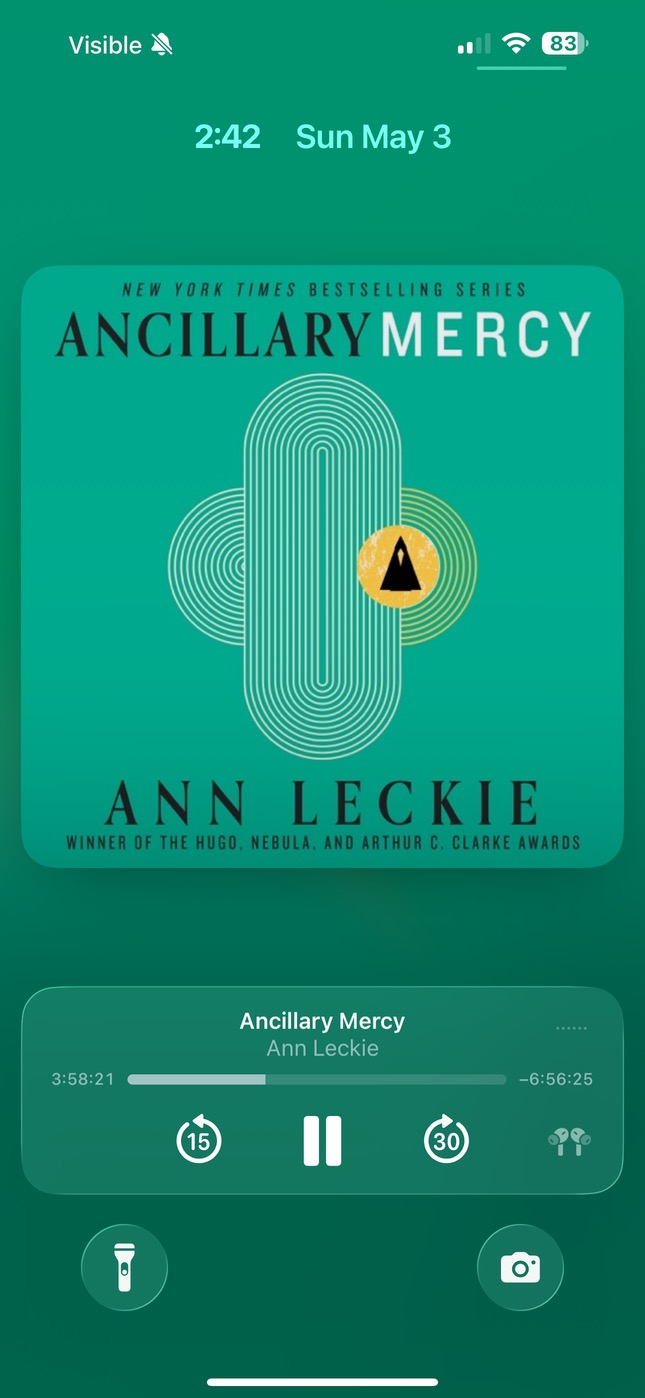
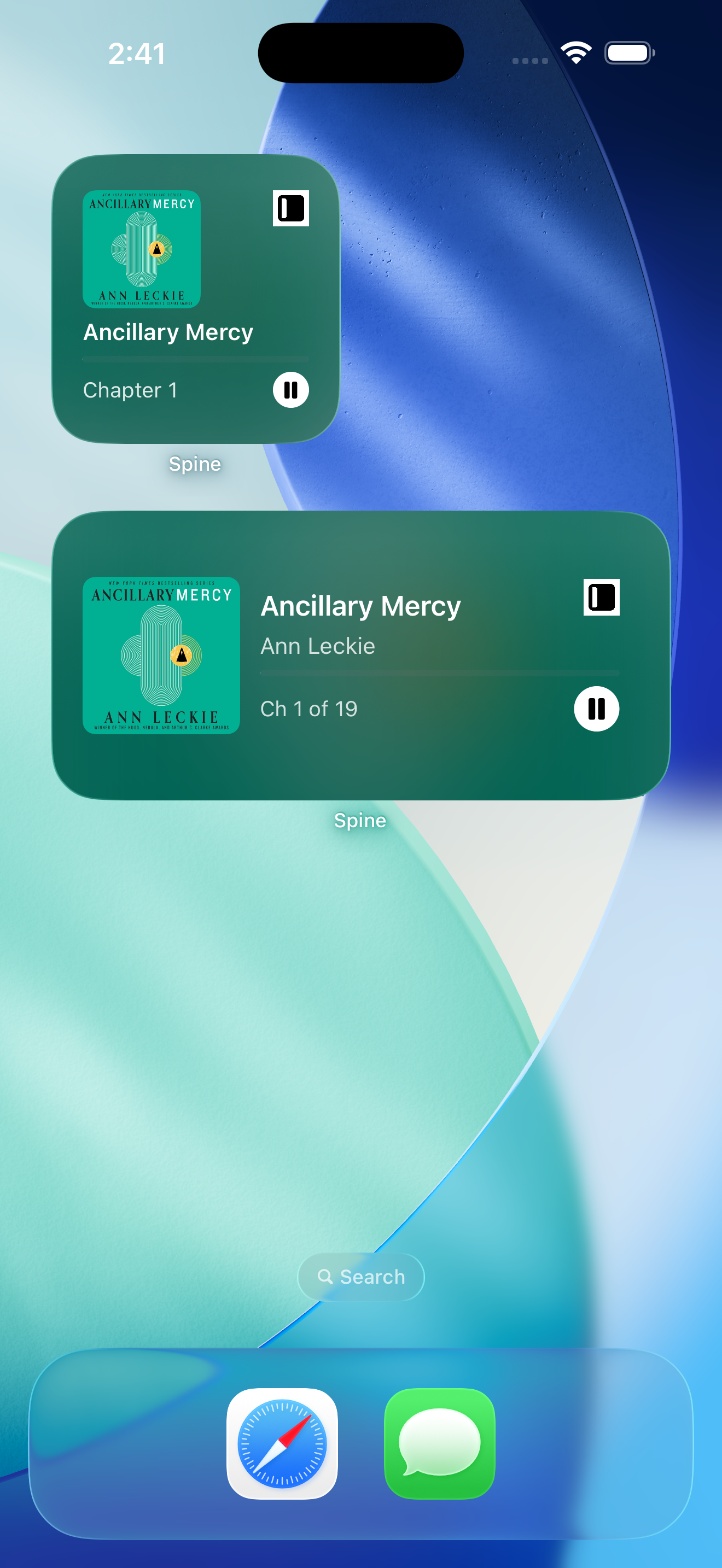
The current book lives on your Lock Screen, in the Dynamic Island, and on a home-screen widget — Play/Pause works without ever opening Spine.
Tap to mark any moment with a written note or a short voice memo. Find them on the book's detail page later — tap once to jump right back in.
"Previously on…" series catch-ups, distilled bookmarks with verbatim quotes, and tidied titles — all on Apple Intelligence, nothing leaves your phone.
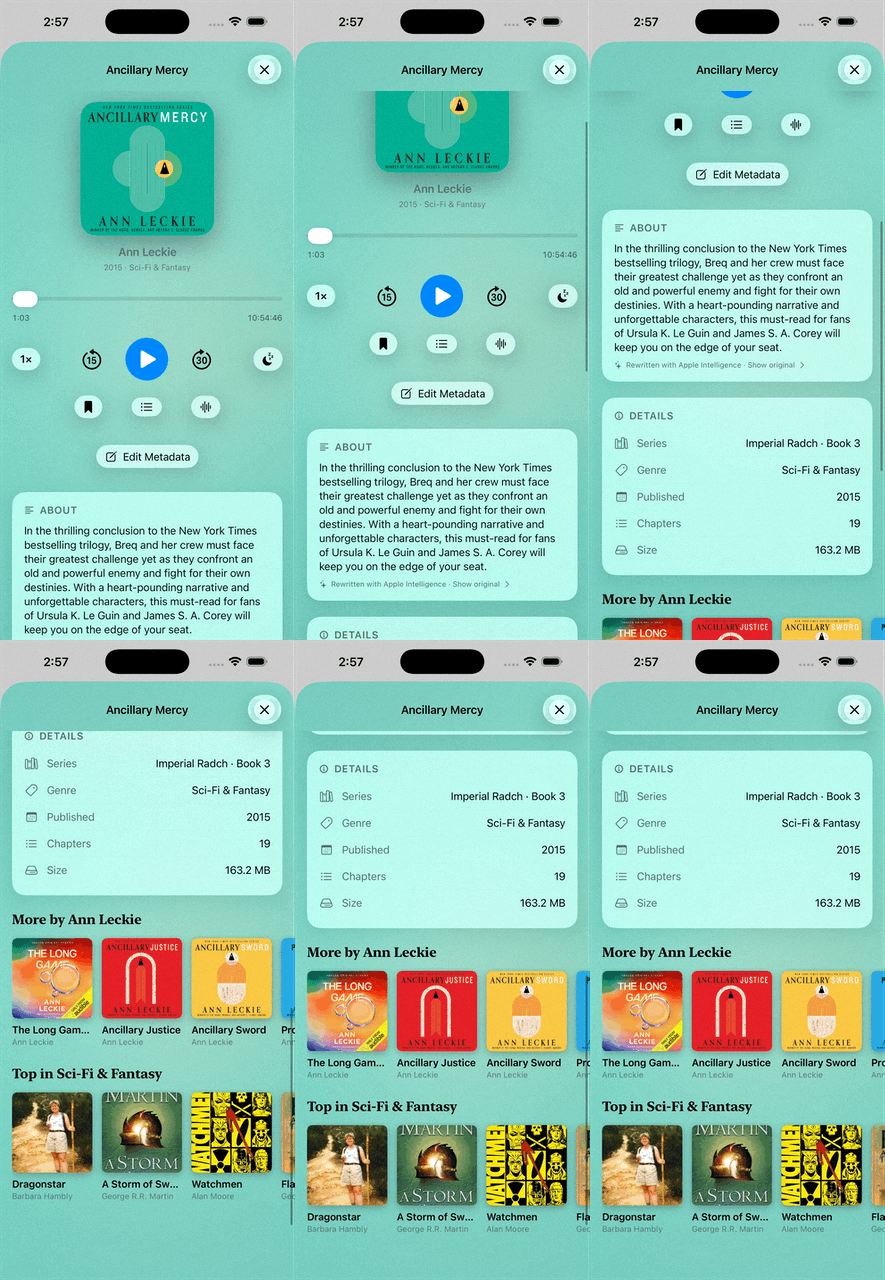
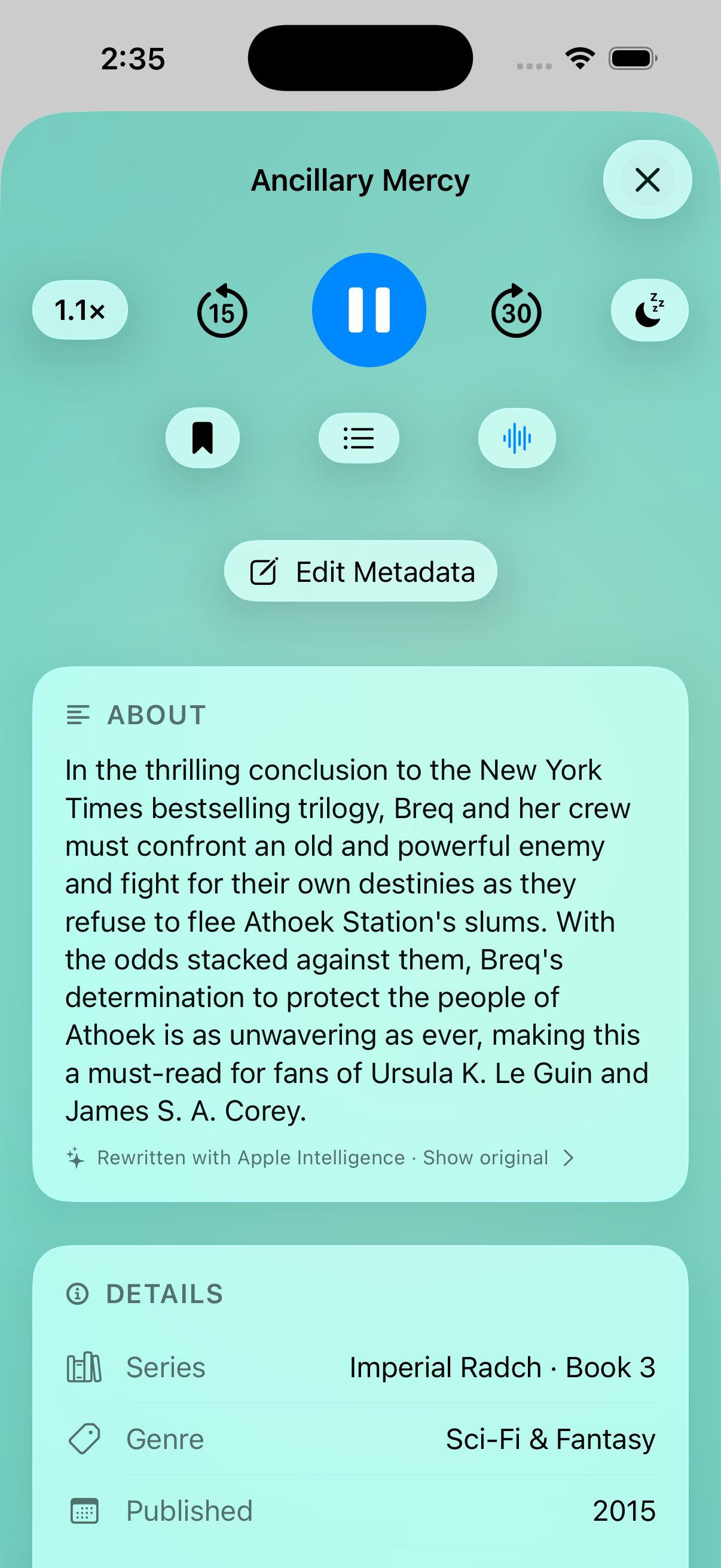
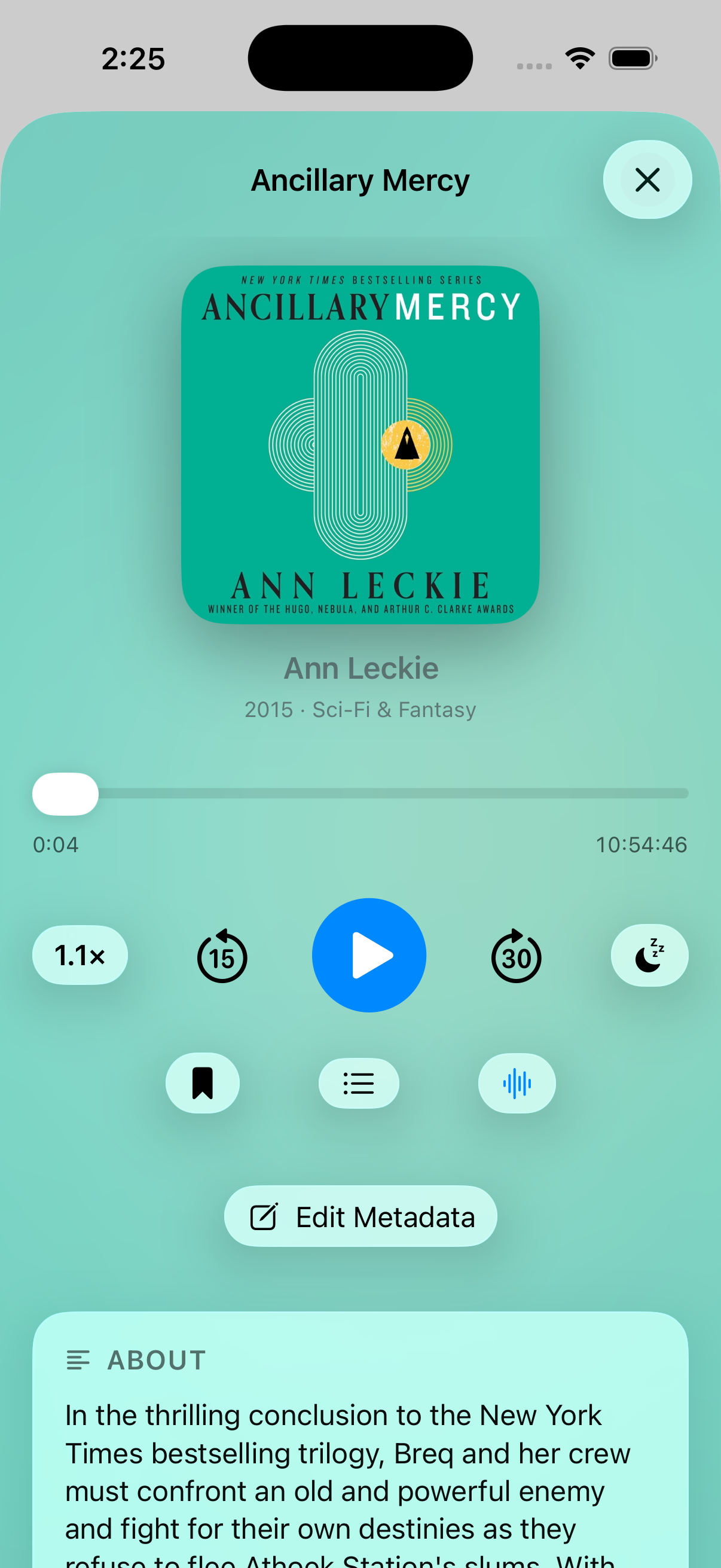
No separate Now Playing screen. Cover, scrubber, transport, speed, sleep, chapters, bookmark, voice boost — the whole player lives inline on the book detail page, on top of an ambient backdrop that picks up the cover's dominant colors.
Tap a book to open it, tap the mini-player to come back to it. The detail page is the player. Sleep timers and variable speed are right where they belong; no carousel of "discover" suggestions over your audiobook.
Connect Torbox for cloud streaming, point Spine at an Audiobookshelf server for self-hosted books, and pick a folder on your iPhone (or iCloud Drive) for files you already own. They share one library, one set of bookmarks, one listening log.
An Available Offline section pulls every downloadable book to the top when you're heading out. A Saved for Later shelf parks anything you've earmarked. Per-source filter chips narrow the view to just Torbox, just local, or just Audiobookshelf when you want. Read-only on every server — Spine never modifies or deletes upstream.
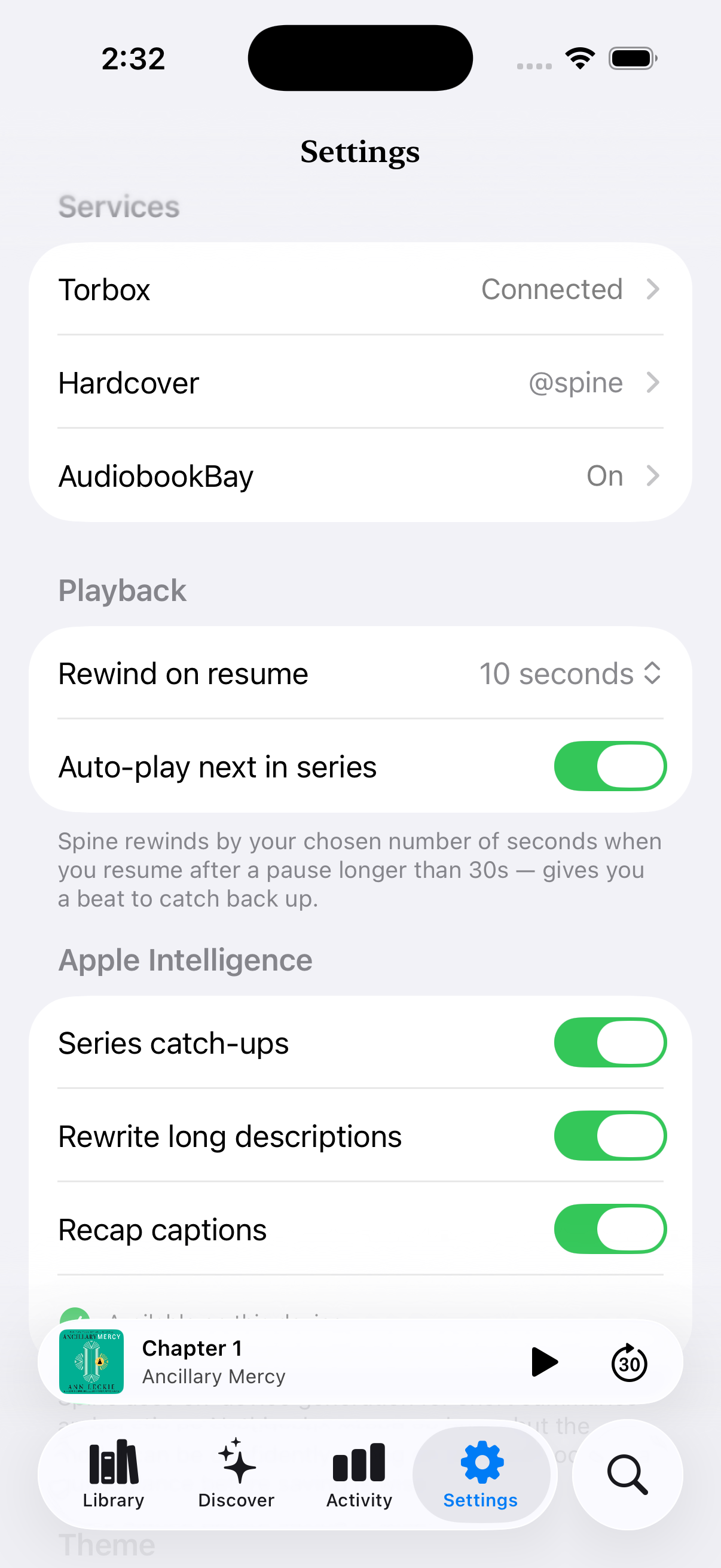
Drop in your library credentials, link your Hardcover account, set any lookup preferences. Spine remembers; you don't have to come back.
No accounts to create with us, no sync conflicts, no settings tabs nested four deep. The whole control surface fits on one page — and stays out of your way for the rest of the year.
Cover, summary, series order, bookmarks, and the live player itself — all in a single scrolling page that pulls Hardcover metadata in the background. The colorScheme-aware ambient backdrop wraps everything from the title bar down through the transport controls.
Mark finished, edit metadata, download for offline, or remove from your cloud library — every action is one tap from the detail view.
Daily goal, lifetime tier, last-30-days bars, recently finished — and a "Now Serving" pill that drops you into the year's Recap.
Every metric is local. Spine never asks for an account, never phones home, and the level you've earned is yours to keep.
Bright, Resy-inspired screens — cover collage, time spent, time saved by faster playback, books finished, monthly rhythm, and the books you marked Read on Hardcover — stitched into one tall poster on tap.
The serif numerals and warm palette lift the whole thing out of "stat dump" territory. Copy to clipboard, share to anywhere.
Tap the bookmark button anywhere and Spine grabs the last 45 seconds, transcribes it on-device, and pulls a verbatim quote, a one-sentence summary, and a few topical tags out of it. The bookmark saves instantly; the insights fill in a few seconds later. A Bookmarks Hub searches every quote, summary, note, and tag across every book.
Open the next book in a tracked series and Spine writes a "previously on…" recap from what you've already finished. Long marketing descriptions get rewritten into a calm two-sentence summary; filename salad like The_Fellowship__Tolkien__Unabridged_2007 becomes a clean title and author. Every feature toggleable; nothing leaves the phone.
A Live Activity follows the current book onto the Lock Screen and into the Dynamic Island — cover, title, author, chapter, progress, and a tappable Play/Pause button.
The Continue Listening home-screen widget mirrors the same controls with a cover-tinted backdrop, so toggling playback is a single tap from the home screen — even if Spine isn't running. A Control Center button (and a Lock Screen toggle on iOS 18+) means the fastest path back to your audiobook is sometimes a single swipe.
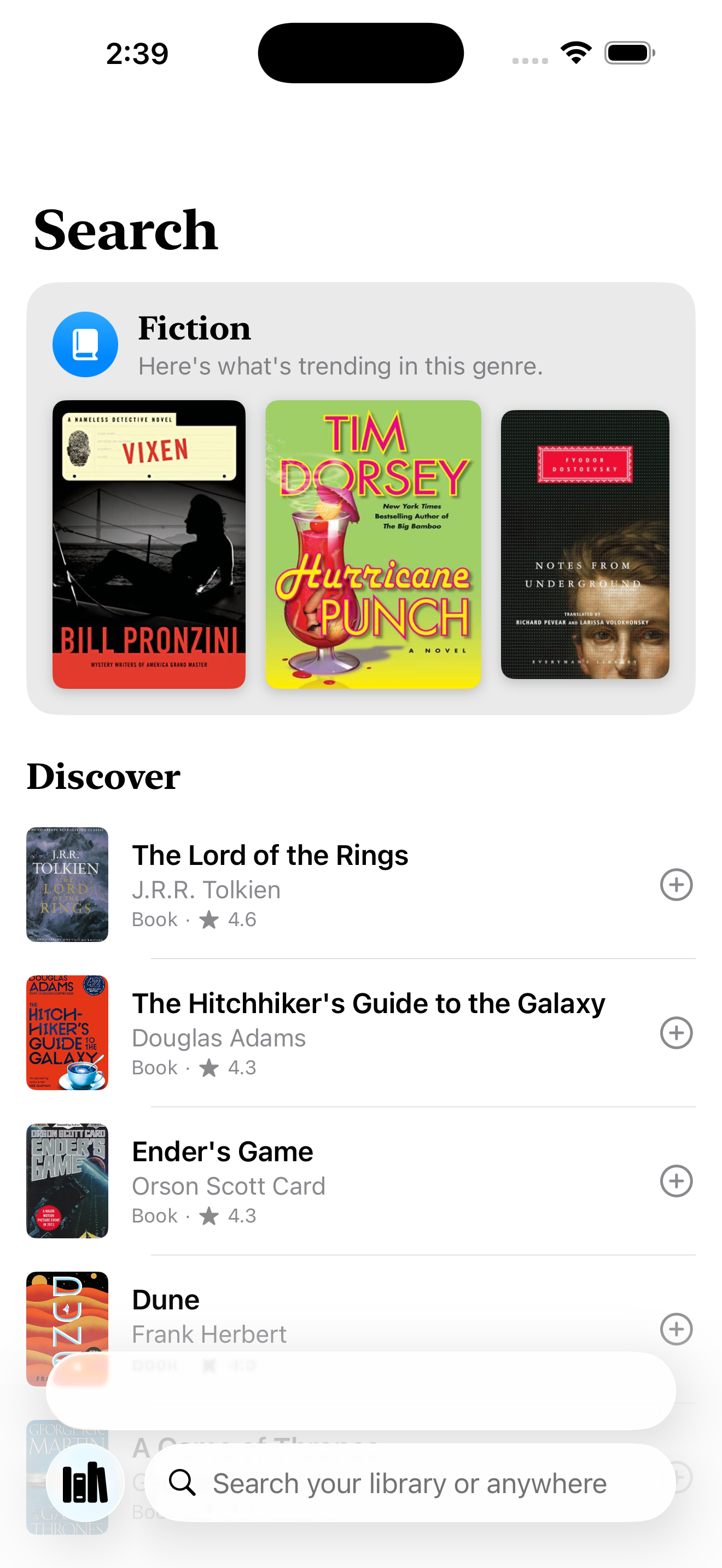
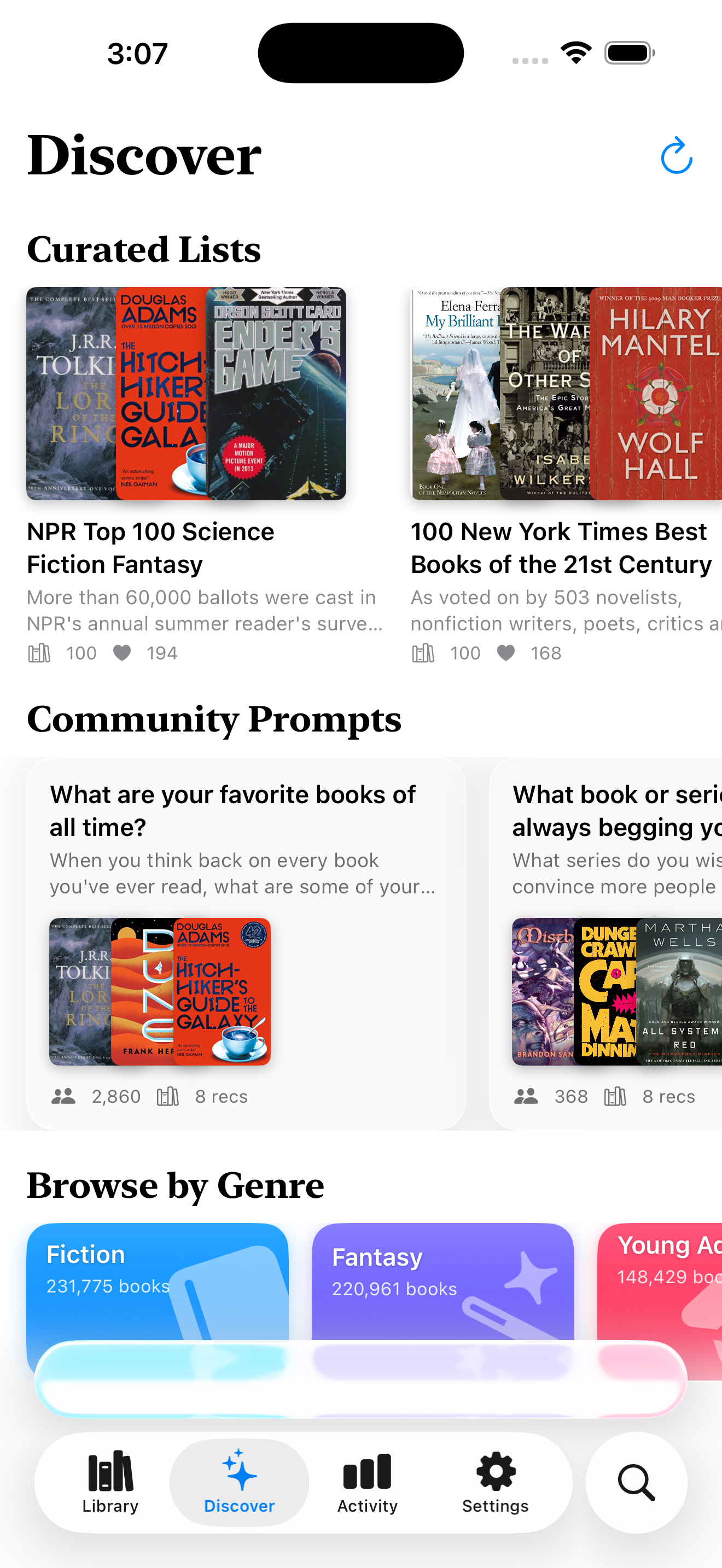
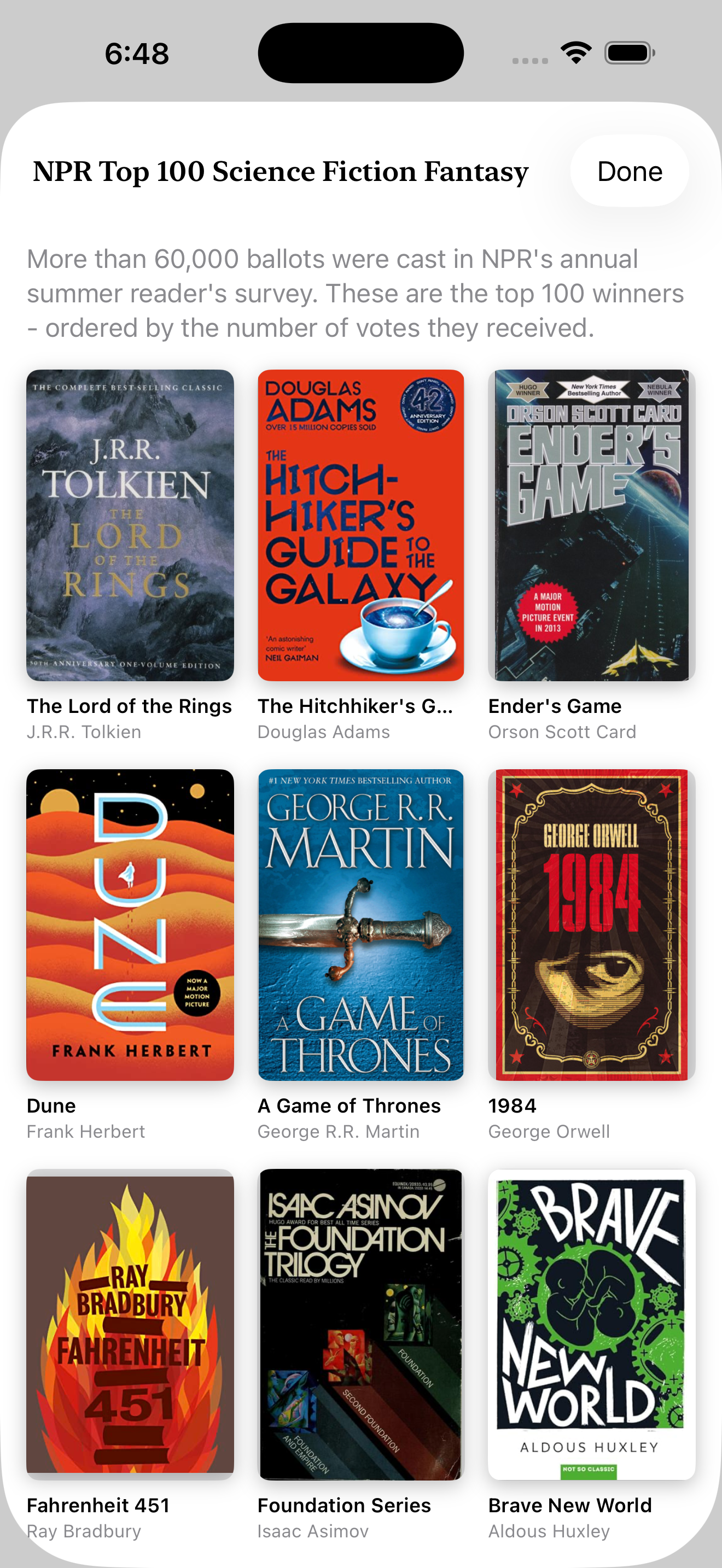
Most people aren't searching their own shelf — they're looking for the next thing. So the search tab opens with a trending-genre card tuned to the genres you actually listen to, a Discover list of popular titles, and a few trending search shortcuts.
The placeholder rotates daily — "Search for your next journey", "Find a story to disappear into" — so it invites instead of describing. Type and your library matches surface first; an audiobook store (when connected in Settings) extends the same query out to the broader catalogue.
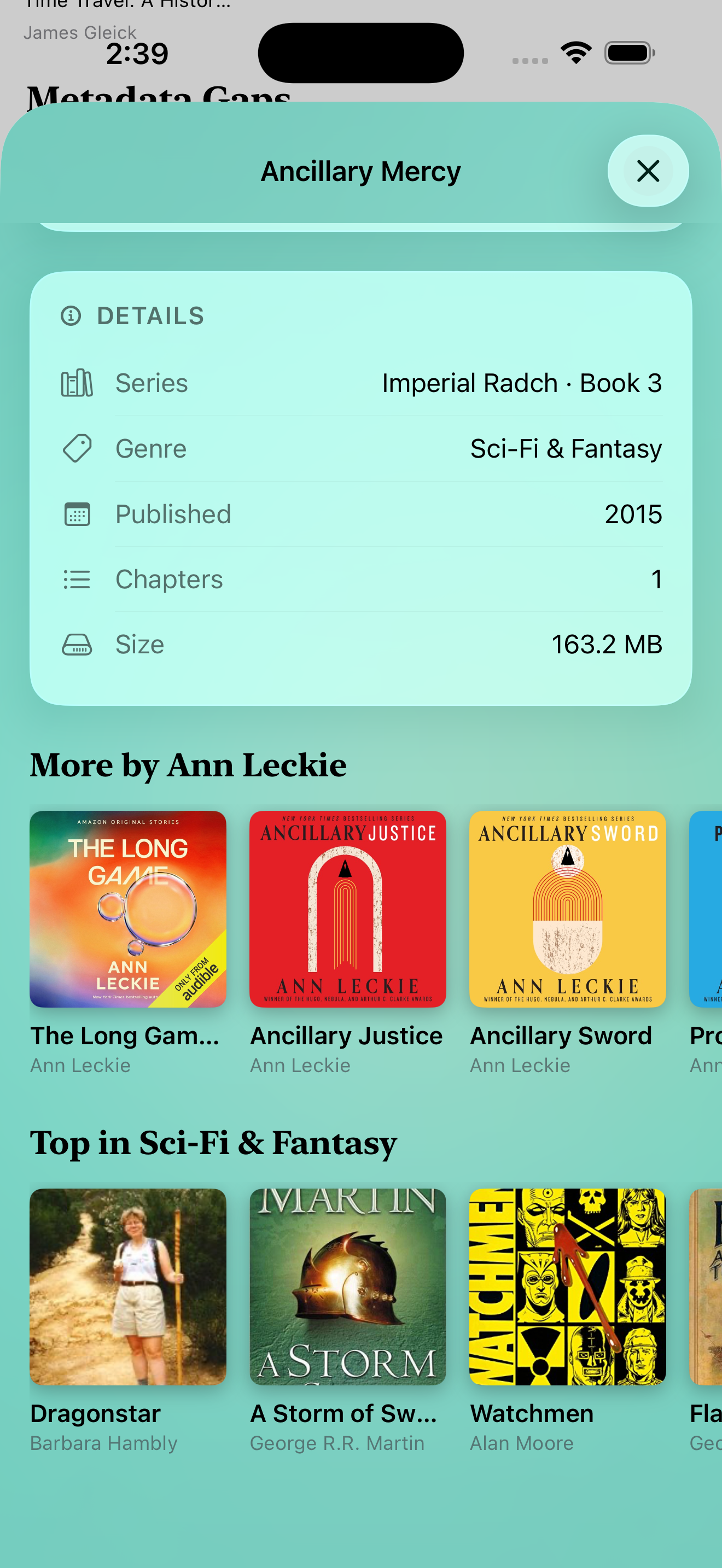
The detail page picks up two recommendation rows under your bookmarks — "More by {author}" from Apple's audiobook catalogue, "Top in {genre}" from Hardcover. Square covers with subtle shadows, single-line titles, ellipsis when names get long.
Tapping a recommendation already in your library hops the paged detail directly to that book — no fresh sheet, no search round-trip, just a clean swipe. New titles drop you into the audiobook store → cloud library flow. Edit Metadata moved above About so the override sits one scroll away.
From the splash to the share card, the same warm restraint runs through it.
Three sources, used alone or together: a Torbox account (the original v1 source), an Audiobookshelf server (your own or someone else's, with username + password), or a folder on your iPhone — picked once via the system file picker and resolved with a security-scoped bookmark on every relaunch. iCloud Drive and other document-provider folders (Dropbox, OneDrive) work too if they expose folders to the Files app. Bookmarks, progress, and listening time behave identically across all three.
Both. Streaming is the default for Torbox and Audiobookshelf so you don't have to manage local files. You can mark individual books as downloaded for offline use; an Available Offline section pulls every downloaded title — plus everything from your "On This iPhone" source — to the top of the library when you're heading out.
Yes. First time Spine sees an ABS book, it pulls the server's current position. After that, Spine pushes back every 15 seconds during playback, plus a flush on pause, chapter change, and app background — the same cadence the official ABS iOS app uses. Bookmarks mirror too: ABS-side bookmarks land on the next library refresh, and bookmarks you create in Spine push to ABS once the on-device summarizer finishes the label. Read-only on the server otherwise — Spine never modifies or deletes anything else.
Hardcover provides clean book metadata and a great social reading layer. Spine pulls cover art, descriptions, and series info from Hardcover, and writes back read/finished status so your shelves stay in sync.
Not directly. Audible and Libby use DRM that no third-party app can read; Plex is on the roadmap if there's demand. In the meantime, Audiobookshelf covers the self-hosted case, the local-folder source handles anything in Files, and Torbox handles cloud streaming — between them, most libraries fit.
Spine is iPhone-first on iOS 26. The codebase is SwiftUI-native, so iPad and Mac Catalyst are realistic future targets once iPhone is rock-solid.
Spine uses Apple's on-device foundation model (Apple Intelligence on iOS 26) for a handful of things: distilling a verbatim quote, a one-sentence summary, and topical tags from any bookmark; writing a "previously on…" recap when you start the next book in a tracked series; rewriting long marketing-style descriptions into two sentences; captioning each Recap page; auto-titling voice notes into a clean table of contents; writing a personalized one-line tagline for your listener tier; and cleaning up messy filename-derived titles. None of it leaves the phone. Each feature is individually toggleable in Settings, and if your device isn't Apple Intelligence-eligible, Spine just falls back to its plain copy.
None. Spine talks to Torbox, Audiobookshelf, and Hardcover over their public APIs and that's it. No third-party SDKs, no event pipelines.
Spine is built so your listening stays yours. We don't run a backend, we don't collect analytics, and we don't share your data with anyone. Everything below is what Spine actually does — and what it doesn't.
Spine has no servers. There is nothing to sign up for, and nothing for us to lose.
No third-party SDKs, no event pipelines, no advertising identifiers, no crash reporters that phone home.
Bookmark distillation, "previously on…" recaps, listener taglines, voice-note titles, description rewrites, Recap captions, and title cleanup all run on Apple's on-device foundation model. Your library, transcripts, and stats never leave the phone for AI.
API keys and Audiobookshelf credentials for Torbox, Hardcover, Audiobookshelf, and any audiobook store you connect are stored in iCloud Keychain — encrypted on your device and synced to your other Apple devices end-to-end. Spine talks to those services directly — never through us.
Spine processes a small amount of data, all of it on your device or directly between your device and a service you've chosen to connect:
Spine is a client for services you bring yourself. When you connect one, requests go directly from your device to that service:
Spine is not directed at children under 13 and does not knowingly collect data from them.
Because Spine doesn't operate a backend, there is no account to delete and no server-side data to export. To remove all Spine data from your device, delete the app — local data, Keychain entries, and iCloud-synced data are removed per iOS conventions. Disconnect any third-party service in Settings before deletion if you want to revoke its API key first.
If this policy changes, the updated version will be posted on this page and the "Last updated" date below will change. Material changes that affect what data Spine handles will also be called out in the app's release notes.
Questions about privacy? Email spine@merifiles.com.
Spine is the audiobook app you'll actually leave open. Available now on the App Store — no subscription, no ads, no account to create with us.